Add a new Case Note
ParticipantsUser guide
Case Notes are created for Support Coordinators to help track progress, maintain continuity of care, and meet NDIS compliance requirements.
Case Notes in SuccessFlow can be Billable and Non-Billable, making it easy to automatically generate Timesheets and Invoices.
This guide describes how Case Notes can be created. There are several ways to create Case Notes in SuccessFlow.
- 1
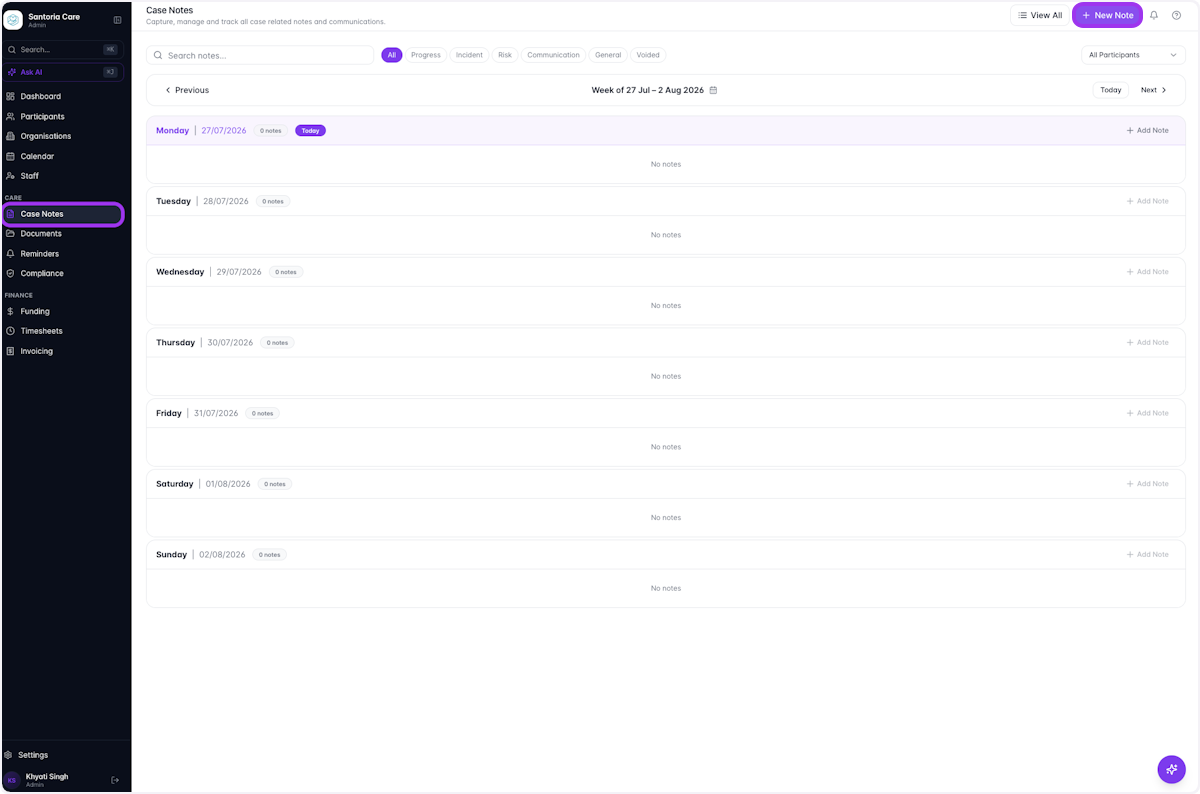
One way is to select Case Notes in the sidebar and click on New Note
- 2
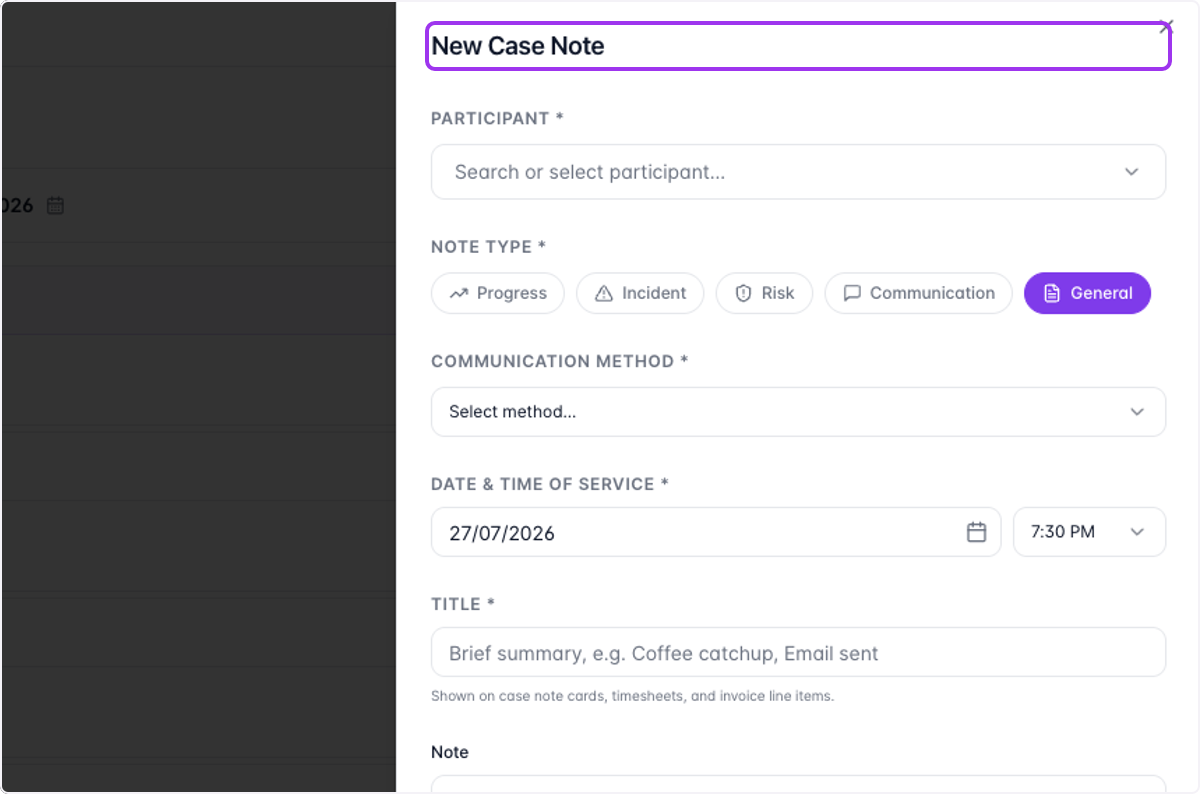
This will prompt you to complete the simple Case Note form
- 3
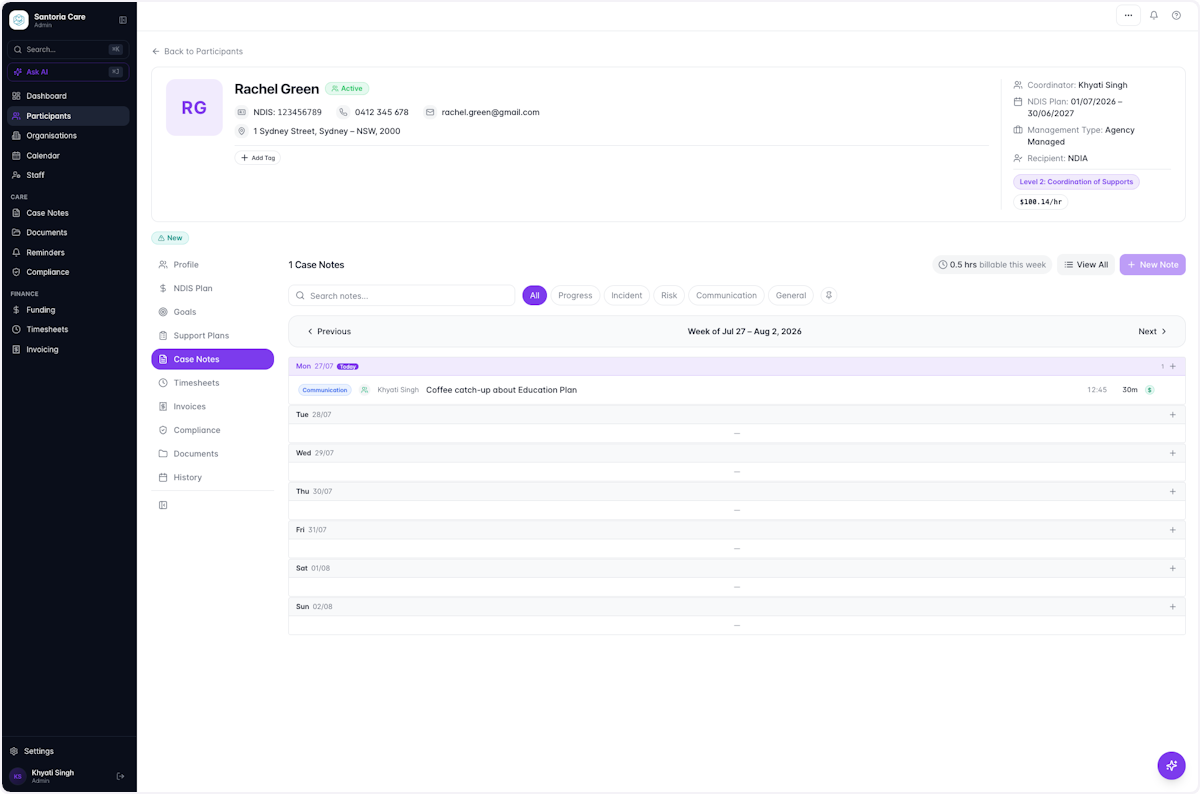
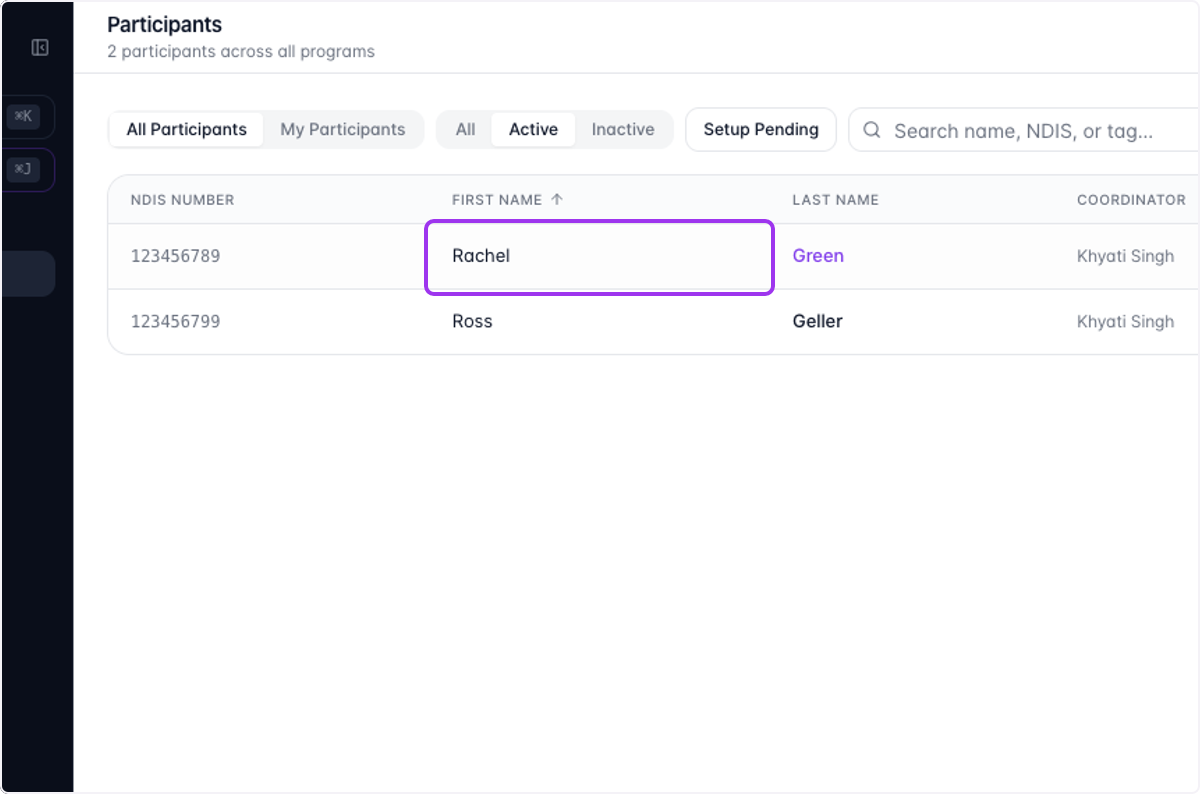
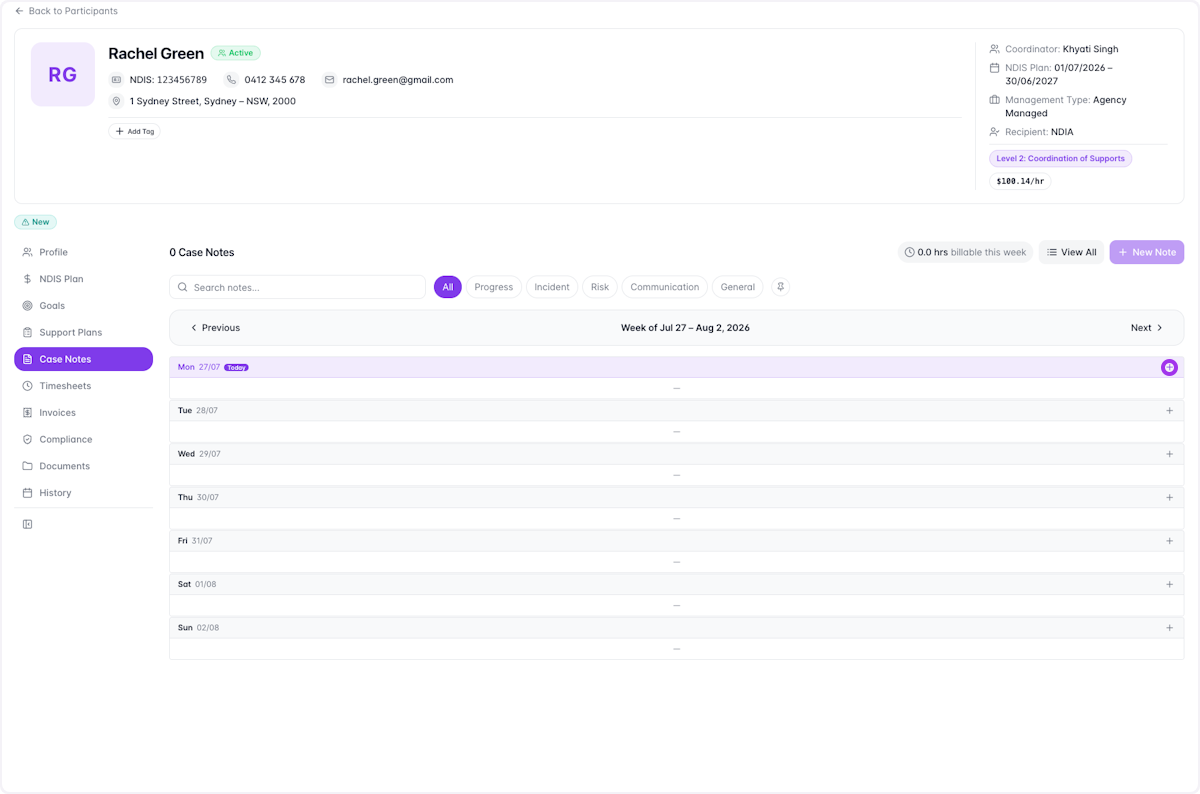
Another way is to select the Participant on the Participant's page
- 4
Select the Case Notes tab and click on the '+' button
- 5
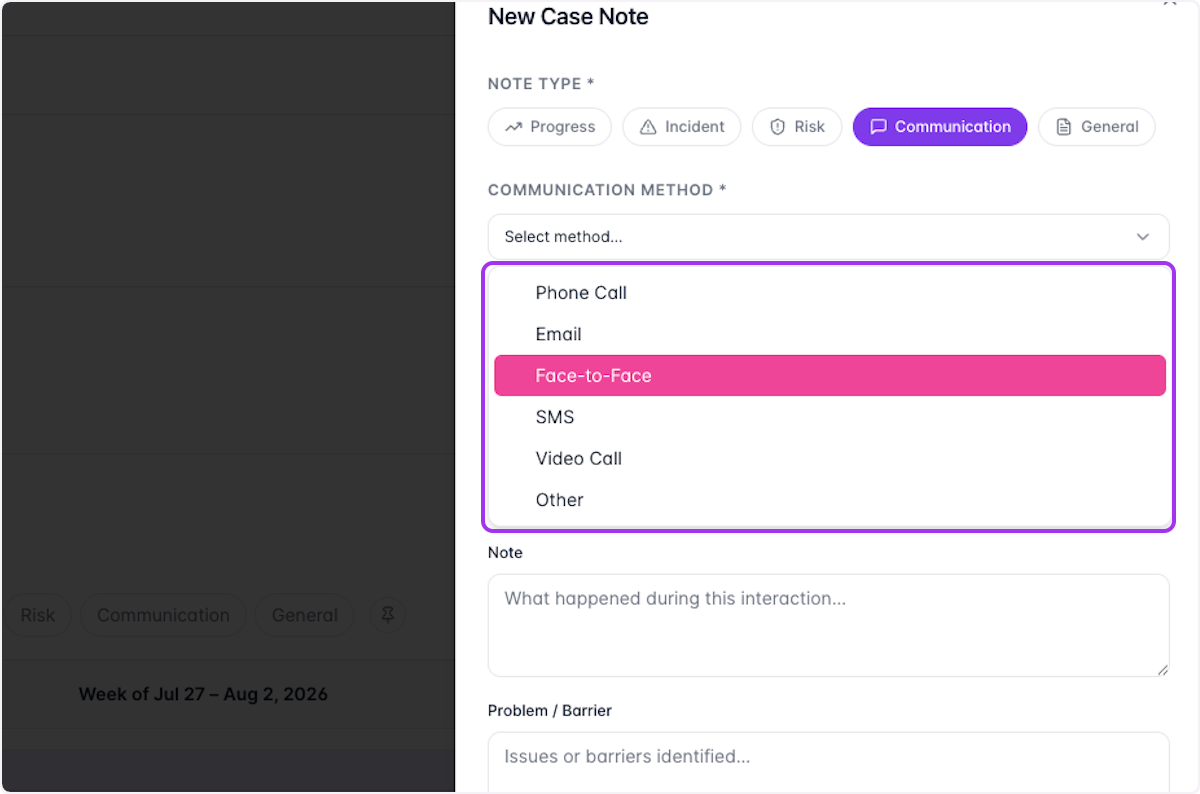
Select the Note Type and Communication Method from the dropdown
- 6
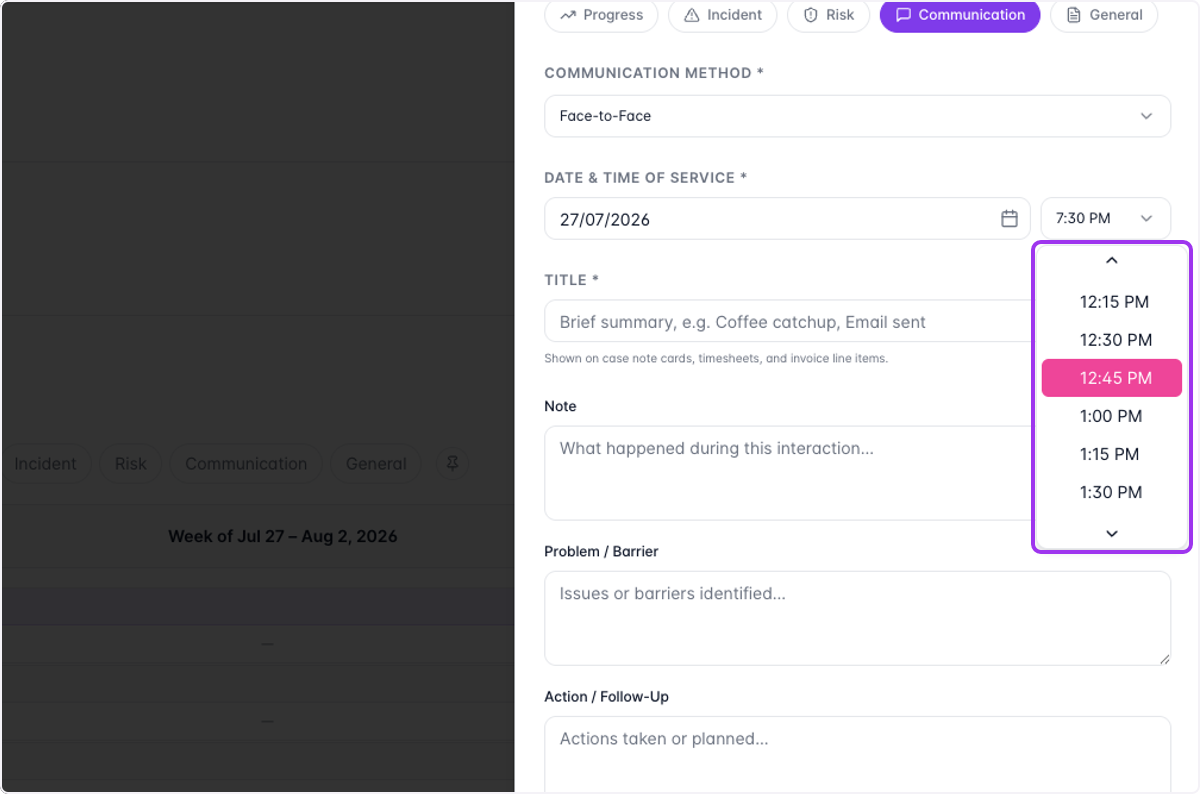
Add in the Date and Start Time of your interaction
- 7
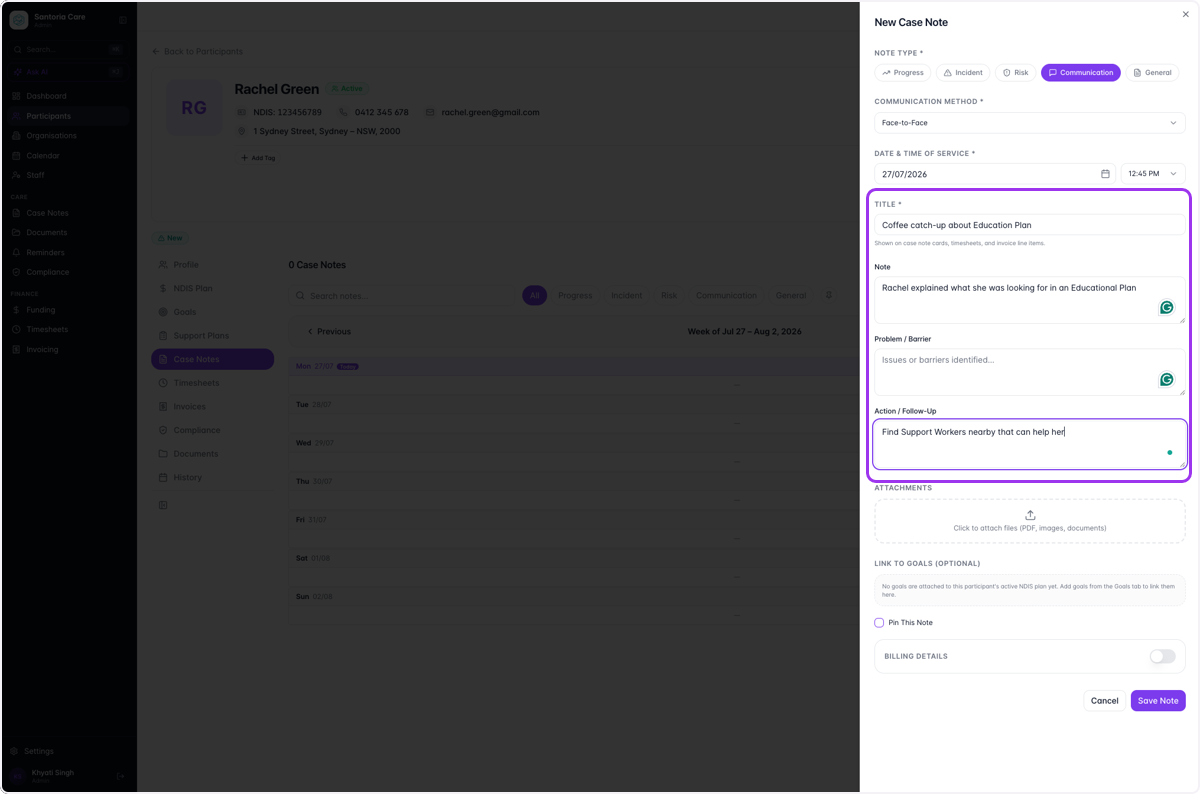
Fill out the relevant fields about your interaction
- 8
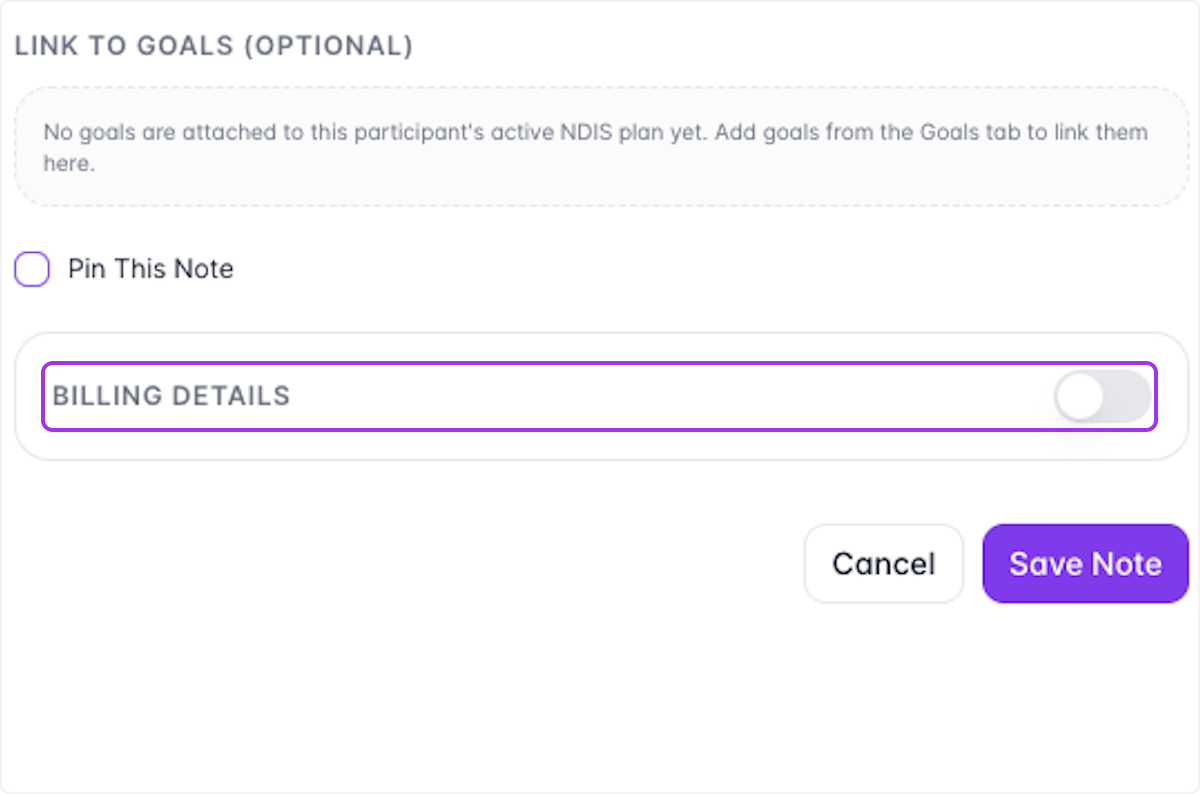
Case Notes can be Billable and Non-Billable
For a Billable Case Note, click on the toggle for Billing Details.
- 9
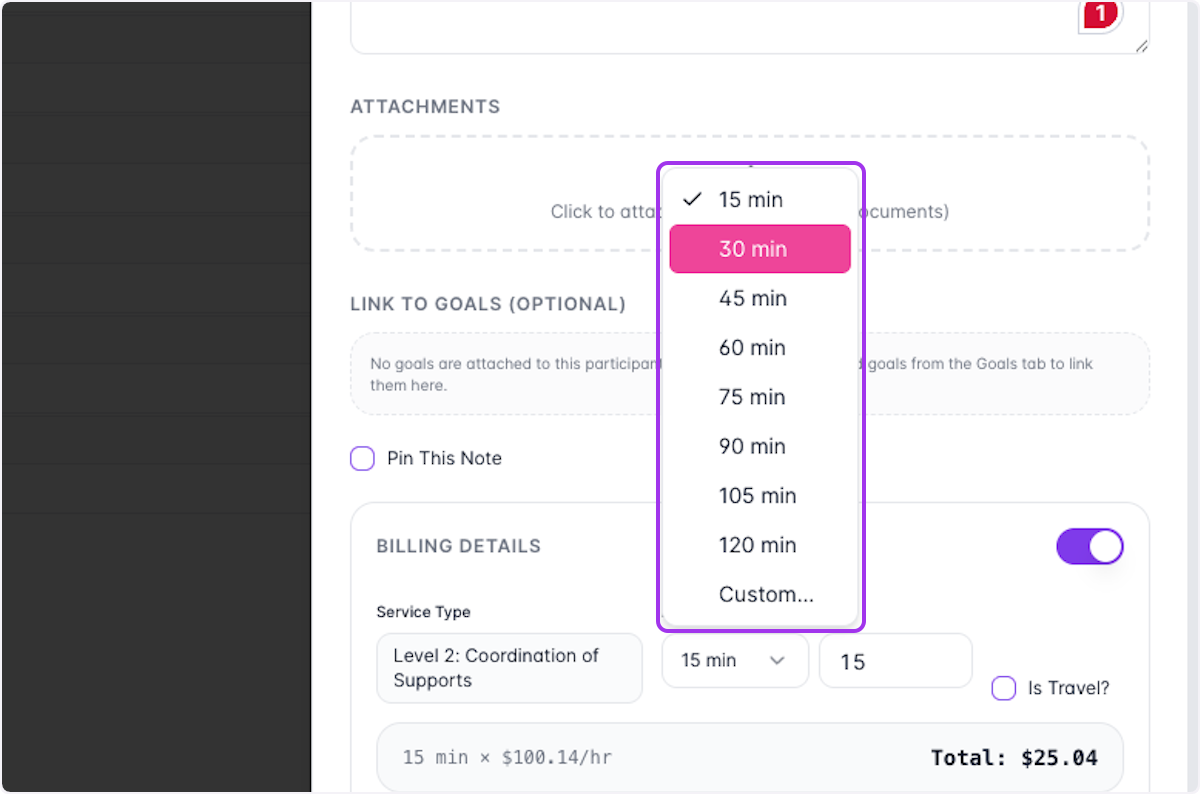
Select the duration of your interaction
- 10
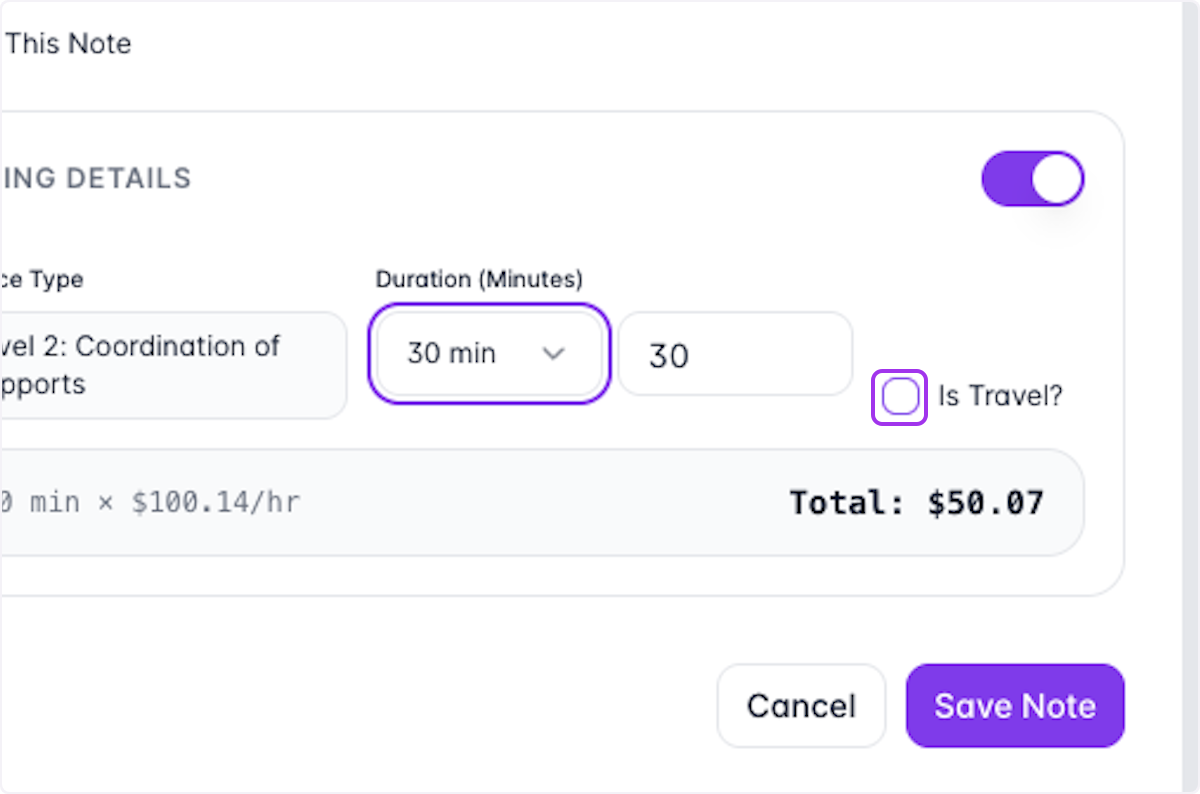
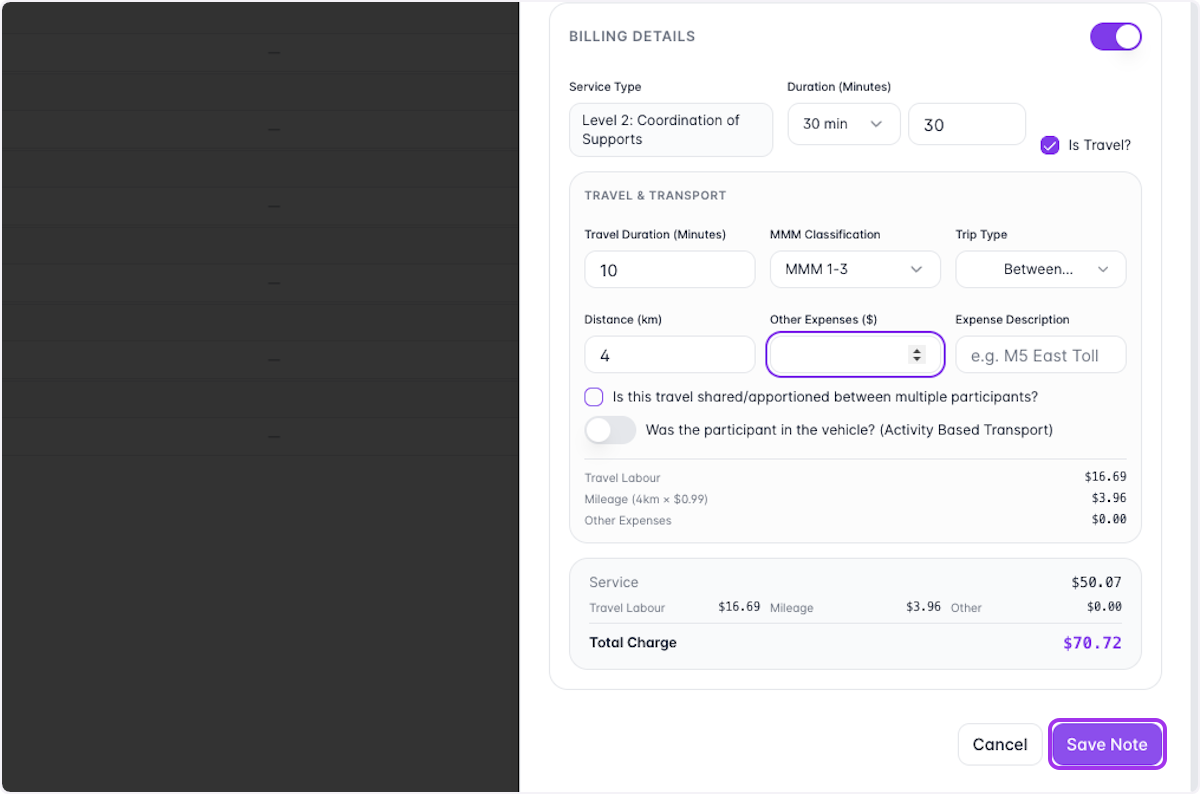
SuccessFlow allows you to account for Travelling all within 1 Case Note
If you'd like to include Travel in the Billing, select the 'Is Travel?' box.
- 11
Once you've added all relevant details, select Save Note
- 12
Your new Case Note should be added to the Participant's page and the Case Notes tab